Monitor news for pipeline companies.
Every new article in the Pipeline Feedly category gets its contents extracted, summarized, and logged into Notion — so the team sees what's happening at pipeline companies without scanning headlines.
Reference build
A long-but-linear flow. Every new article in the Feedly "Pipeline" category is pushed through Clay for full-text extraction, summarization, and company-name detection, then logged into a Notion news database and archived as a file in the matching company's SharePoint folder. The team never opens Feedly — they read the Notion log.
Vendors below are our choices. The flow is roles-not-vendors; every layer swaps cleanly.
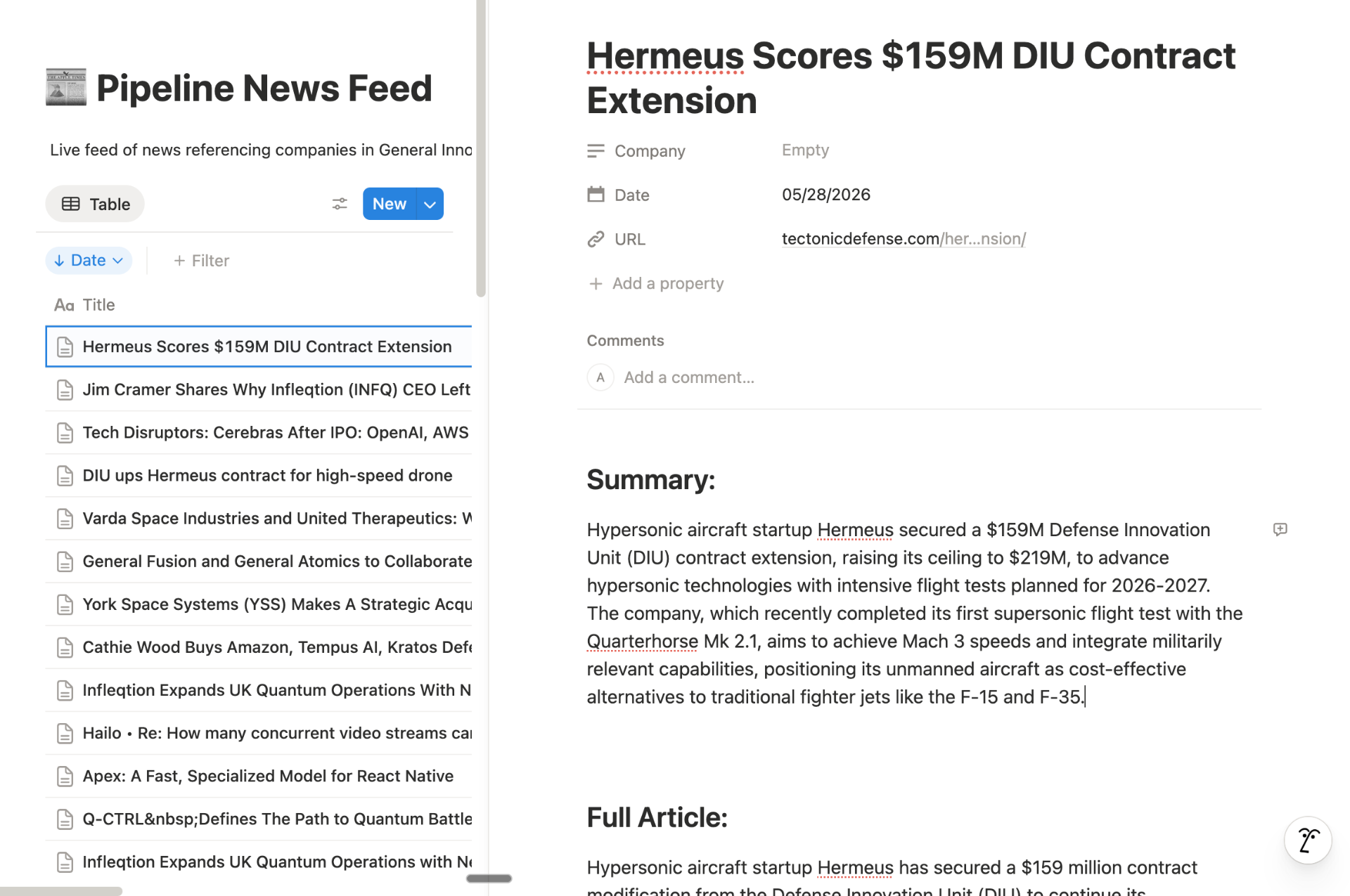
What the flow writes
Two outputs per article. The Notion row is the queryable log; the SharePoint file is the durable archive next to the rest of the company's diligence material.
| Output | Shape |
|---|---|
| Notion database item | Database: Pipeline News Feed. Properties: Title, URL, Date, Company (rich text). Body: markdown with ## Summary and ## Full Article sections. |
| SharePoint file | Site: Deal Team · Drive: Documents · Folder: {Company} Relevant Articles · File: {sanitized title}.html. |
Gotchas
A nine-step flow has sharp edges. Most of them are about async timing and the join between the AI-extracted company name and the SharePoint folder convention.
- 01Two-minute delay is load-bearing. Clay's enrichment columns (article fetch + summary + company-name AI column) run asynchronously after the row is created. Reading the row back too soon returns empty cells. Two minutes is the sweet spot for a single article; raise it if you ever batch.
- 02Create then find — don't trust the create payload. Step 2 writes the row; step 4 re-reads it by title+URL. That's because Clay's enrichment results aren't in the create response — they appear later on the row itself.
- 03Title is sanitized before SharePoint. Step 6 strips every non-alphanumeric character (including the colons, slashes, em-dashes, and emoji that news headlines love). Without this, SharePoint's filename rules reject the upload silently.
- 04Company-name extraction is the join key. The whole back half of the flow (find folder → upload article) only works if GPT-4o returns the same company string SharePoint folders are named with. Drift here = orphaned uploads. Keep the system prompt narrow and the model deterministic.
- 05SharePoint folder lookup is fuzzy on purpose. The search query is '{company} Relevant Articles' across all folders in the Deal Team site. If the folder doesn't exist yet (new pipeline company), the upload step fails — that's the signal to scaffold the folder before adding the company to the Pipeline category in Feedly.
- 06Notion content is built in markdown, not blocks. Step 5 stuffs Summary + Full Article into one markdown string and lets Notion render it. Cleaner than emitting a dozen block objects, and survives long articles without hitting the per-request block limit.
- 07Dedupe is Feedly's job. The trigger is 'new article in category,' which Feedly already deduplicates by URL. The Zap doesn't re-check Notion. If you switch readers, you'll need to add a dedupe step.
Swap matrix
Every layer is replaceable. The only hard requirement is that whatever replaces Clay can do article extraction + summarization + entity extraction on the same row, asynchronously.