Build a Pipeline News Feed
Track every mention of every pipeline company — then let an agent surface what matters.
A small, durable build that compounds. Set up a Feedly AI feed that tracks every company in your pipeline, route each new article through an automation that drops it into a Notion database with a title, a summary, the company mentioned, and the date — and now you have a living news log the whole team can read in one place. Once the log exists, an agent on a weekly schedule can pick the most important items and push a digest to Slack or email.
Step 1 — Build the Feedly AI feed
In Feedly, create a new AI Feed and scope it to the companies in your pipeline. The model: one feed, one pipeline board, every relevant article in one place.
- Track by company name when it is distinctive. Names like “Hermeus” or “Infleqtion” are safe — there is no other Hermeus.
- Track by website / domain when the name is generic. Companies called “Apex,” “General Fusion,” or “Hailo” will pollute the feed with unrelated news. Either anchor the tracker on the company’s domain (e.g.
apex.space) or skip the company entirely rather than drown the team in noise. - Bias toward precision over recall. A clean feed of 50 articles a week is infinitely more useful than 500 with garbage in the middle. The team will read a clean feed; they will abandon a noisy one.
Step 2 — Pipe the feed into Notion
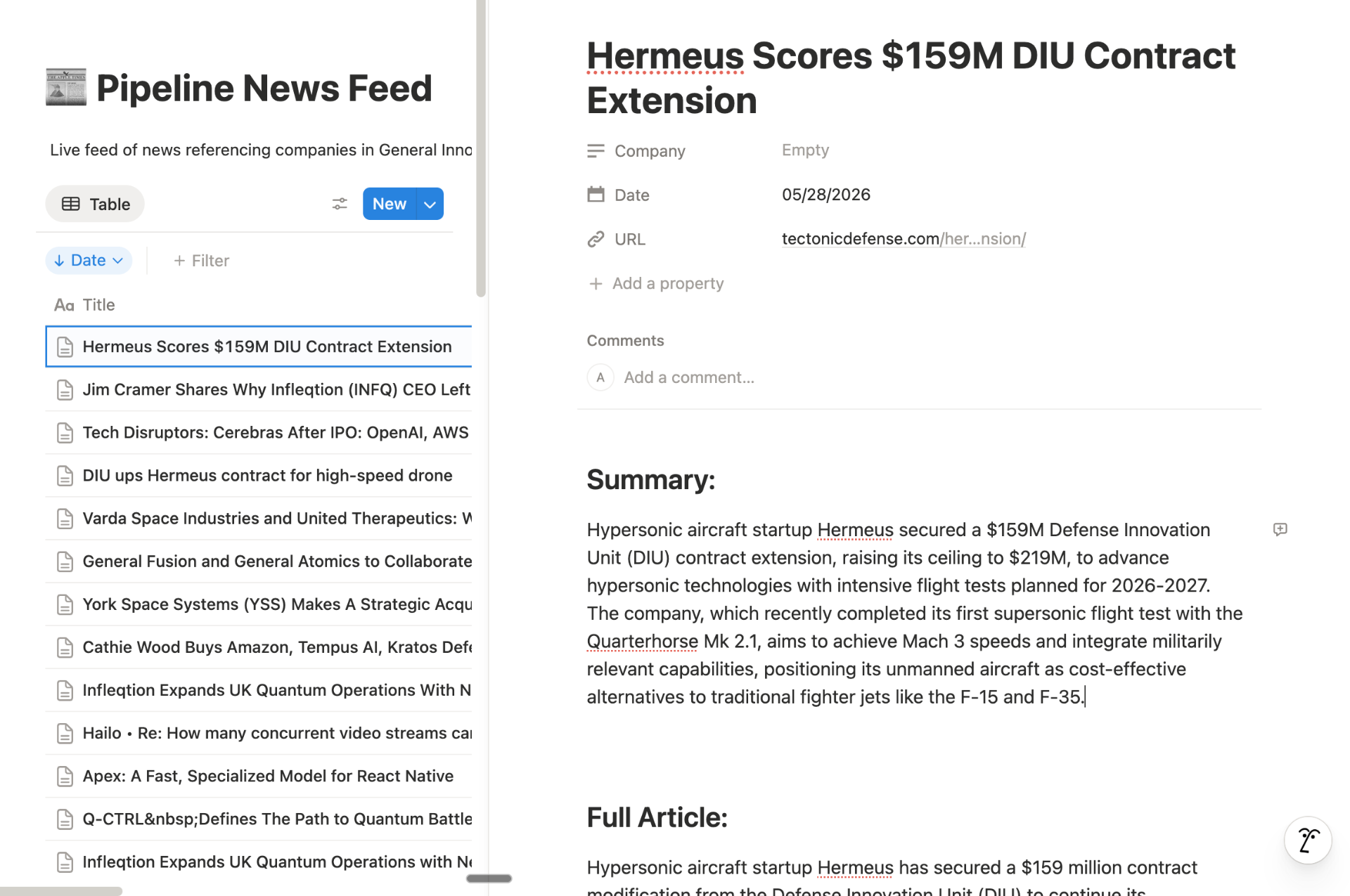
Hook the Feedly board up to the Pipeline News Feed automation in the library. Every new article gets read, summarized, tagged with the company it mentions, and dropped into a Notion database as a new row. The team never opens Feedly — they read the Notion log.
| Notion field | Type | Source |
|---|---|---|
| Title | Text | Headline from Feedly |
| Date | Date | Published date |
| URL | URL | Canonical article link |
| Company | Text | AI-extracted from headline + summary |
| Summary | Text | AI summary (3–4 sentences) |
| Full Article | Text | Cleaned body for archive + LLM input |
Step 3 — Let an agent do the reading
Once the database is live, you have a structured corpus an agent can query. The obvious win: a weekly job that reads the last seven days of rows, picks the most important stories, writes a short digest, and posts it to Slack or email. The partnership skims one message instead of scrolling a feed.
From there, it composes naturally — flag any article that mentions a portfolio company to its deal lead, surface fundraise announcements into a separate “round watch” channel, or route competitor news into the relevant thematic deep dive. The Notion database is the substrate; the agents are just consumers.
- Pipeline News Feed automation — the Feedly → Notion → SharePoint flow that powers this module.
- Feedly vendor profile — the news reader we use to build the AI feed.